From web page to LLM in 2 keystrokes: open-sourcing my private Markdown extension
Project notes This piece belongs to the MarkDownCopy build — see the whole project →If you spend your days working with LLMs like Claude or Cursor, you already know the golden rule of context: LLMs eat Markdown for breakfast.
Whether you are feeding an LLM documentation, an API reference, or a blog post, providing that context in clean, structured Markdown drastically improves the quality of the output.
I found myself constantly needing to scrape web content to build better prompts. But I kept hitting the same wall.
The privacy trap of browser extensions
The Chrome Web Store has plenty of tools that convert web pages to Markdown. But installing them comes with a catch.
Almost all of them require broad permissions — often requesting access to “read and change all your data on all websites.”
When you are copying proprietary documentation, internal dashboards, or sensitive research, using a black-box extension is a massive security risk. You are essentially trusting a third-party developer with your clipboard and your browsing context. I was constantly worried that whatever I copied could be accessible to the plugin creator.
I wanted the convenience, but I refused to pay the privacy tax.
Building a local, private solution
Instead of compromising, I decided to build my own solution: a Markdown clipper that runs 100% locally.
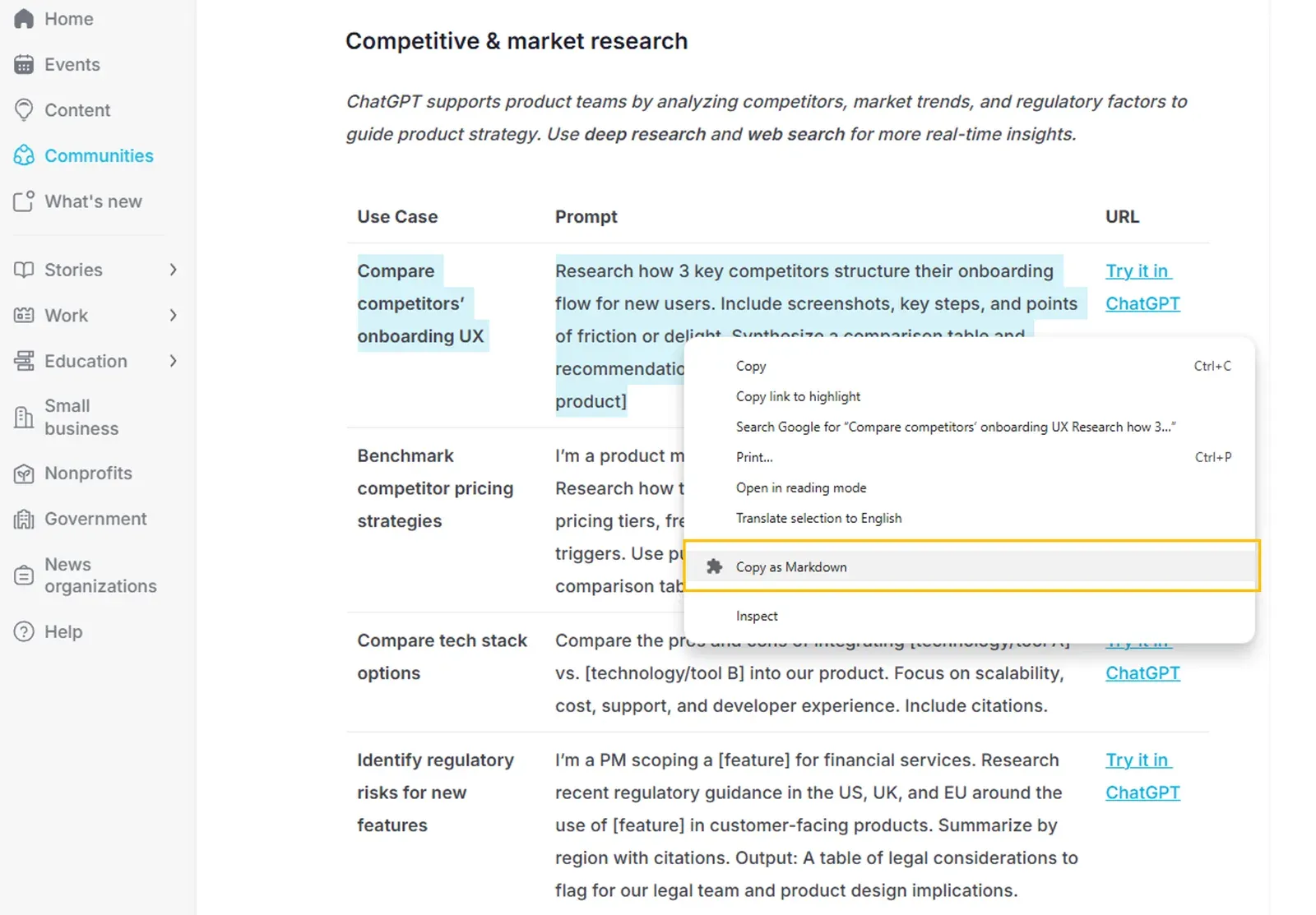
The goal was simple: select content, hit a shortcut, and get perfect GitHub Flavored Markdown on my clipboard. No servers, no telemetry, no nonsense.
Here is what the extension handles:
- Complex HTML: Preserves headers, paragraphs, and nested lists.
- Code blocks: Extracts syntax highlighting hints and maintains indentation.
- Tables: Converts HTML tables perfectly into GitHub Flavored Markdown format.
- Security: Uses Manifest V3 and runs entirely in the background worker and content script.
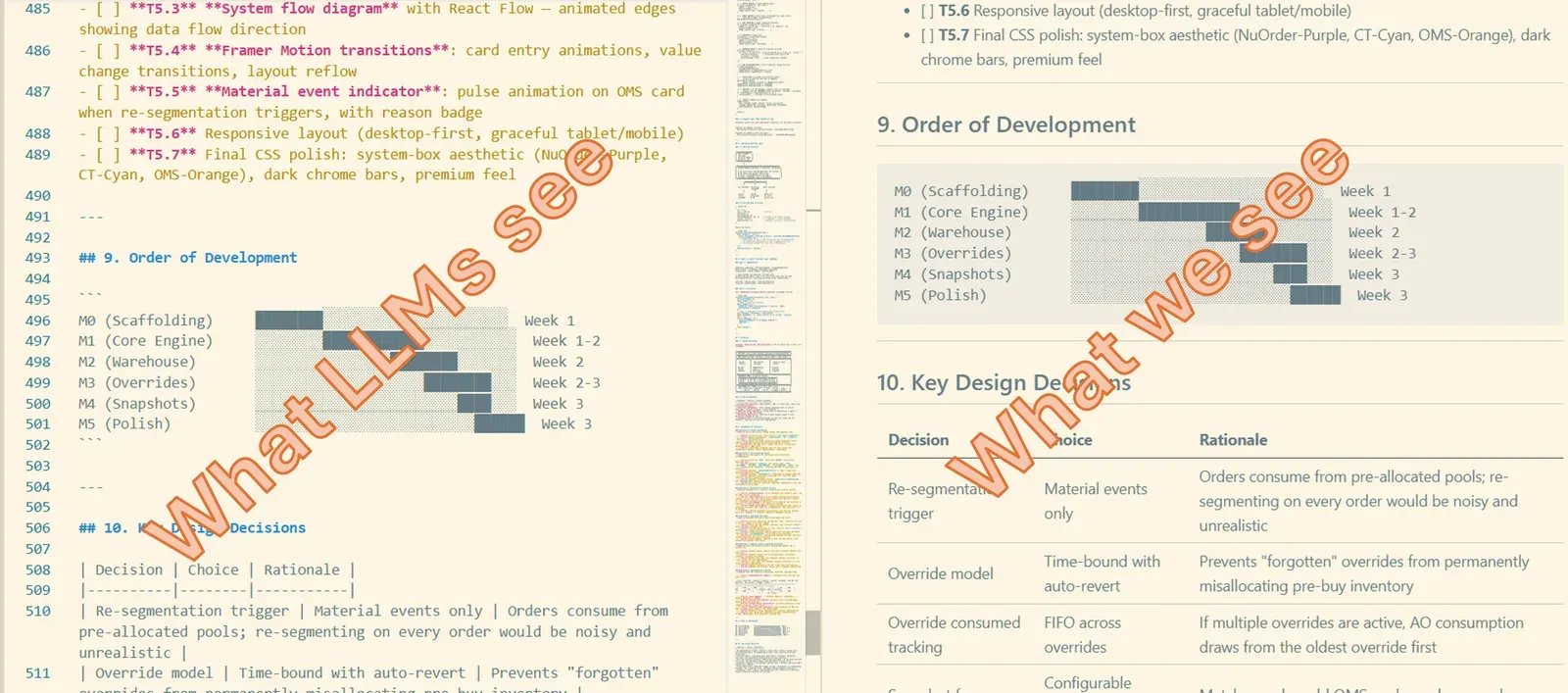
The core engine uses Turndown.js to handle the heavy lifting of DOM-to-Markdown conversion, ensuring that even dense documentation sites format correctly when pasted into Cursor or Claude.
How to get it
I built this to solve my own problem, but I know I’m not the only one paranoid about browser extension permissions.
I’ve open-sourced the entire project. You can clone the repository, review every line of code yourself, and load it into Chrome as an unpacked extension.
- Clone the repo from GitHub: nirat25/MarkdownCopy_BE
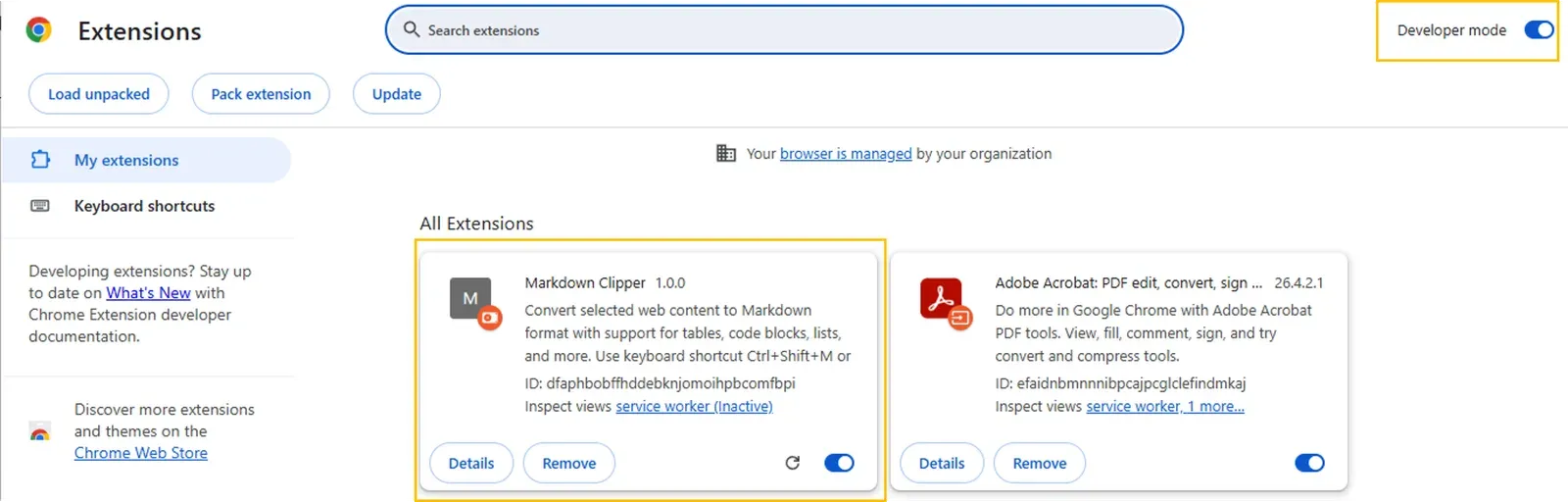
- Open Chrome and navigate to
chrome://extensions/ - Toggle on Developer mode in the top right.
- Click Load unpacked and select the extension folder.
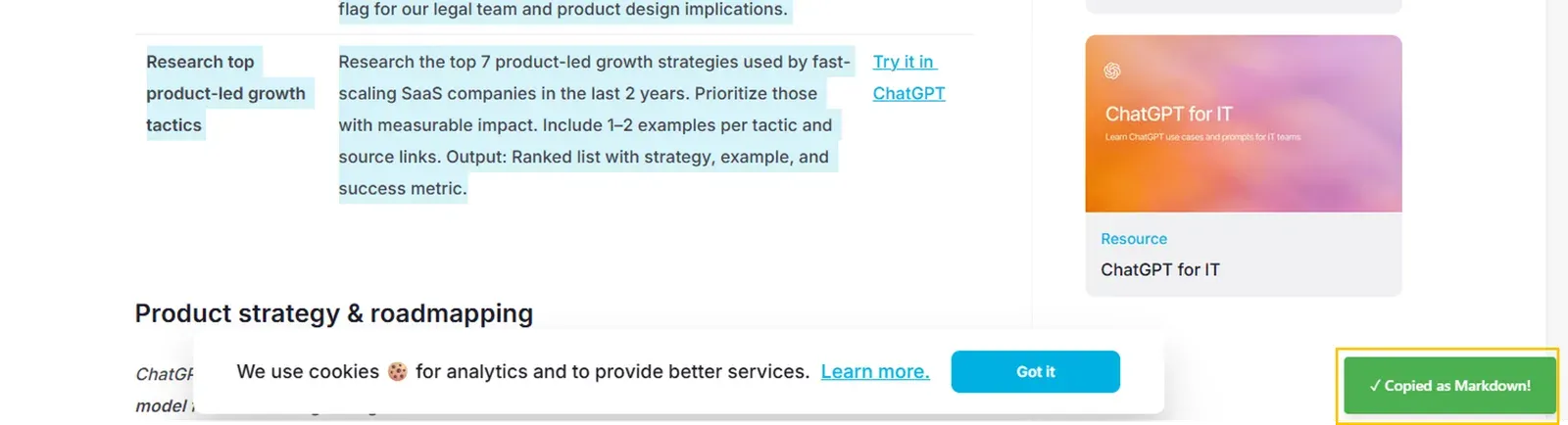
Once installed, simply highlight any text, right-click, and select “Copy as Markdown” (or hit Ctrl+Shift+M / Cmd+Shift+M). You’ll get a quick green toast notification, and your Markdown is ready to be pasted into your LLM.
We are building faster than ever with AI, but our toolchains shouldn’t compromise our data. If you want better context for your prompts without the privacy headache, grab the code and try it out.
(If you run into any edge cases on complex websites, feel free to open an issue on the repo.)
Originally published on LinkedIn.